|
|
| Om det här är ditt första besök, se till att gå till vår FAQ (finns även länk till FAQ i navigeringsmenyn ovan). Du kan behöva att registrera dig innan du kan posta (finns även en länk till registrering i navigeringsmenyn ovan). För att titta på inlägg, välj det forum som du vill besöka från de som är listade nedan. |
|
|||||||
| Registrera | Members Area | FAQ | Medlemslista | Community-ware/Modell-shop | Sök | Dagens inlägg | Markera forum som lästa |
|
|
Ämnesverktyg | Visningsalternativ |
 2018-10-09, 03:19
|
#1 |
|
Medlem
Reg.datum: Jun 2010
Ort: Yxlan, Norrtälje
Inlägg: 1 368
|
 Definiera upp en Kontroll fil i TANE.
En snabb genomgång hur sätta upp en kontrollfil (min) i TANE/TRS2019 och
använda tangentbordskombinationer i stället för tröttsam fönsterhantering med bockningar. Givetvis konfigureras andra kontrollfiler sammaledes. Även TS12 understödjer kontroll filer! Förutsättning: Kontrollfilen "Joc Controls DCC mode" ( <kuid2:448495:65001:5>) finns i er Trainz utgåva. Filen laddas ned t.ex. med T23 start stopp loket..... 1. Starta upp din Trainz utgåva och välj en session: 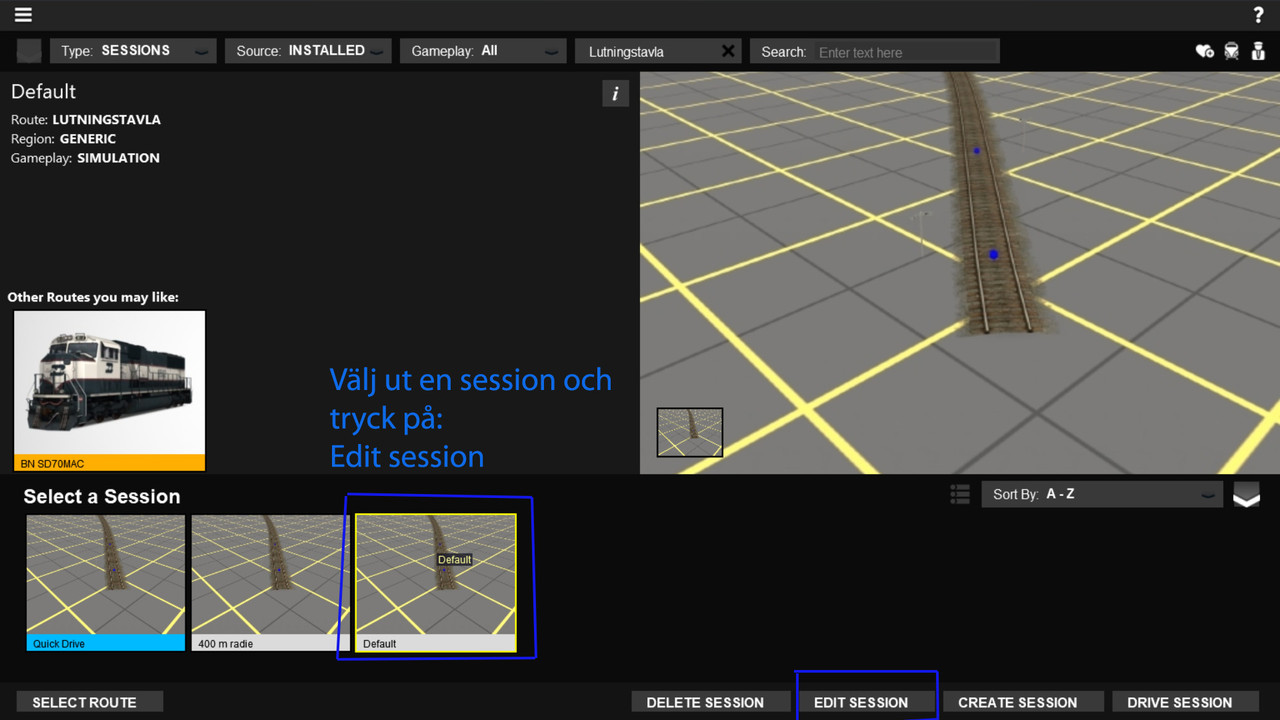 2. Följ sedan instruktionerna enligt bilderna 1-4. 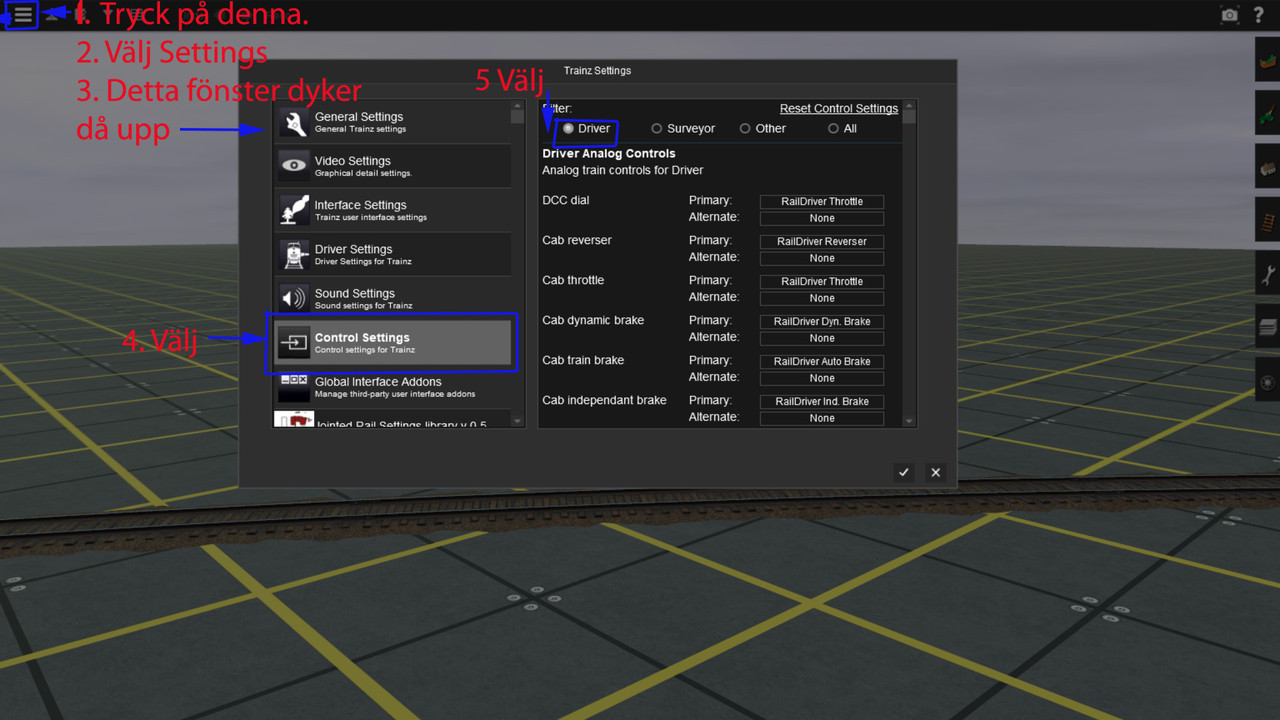 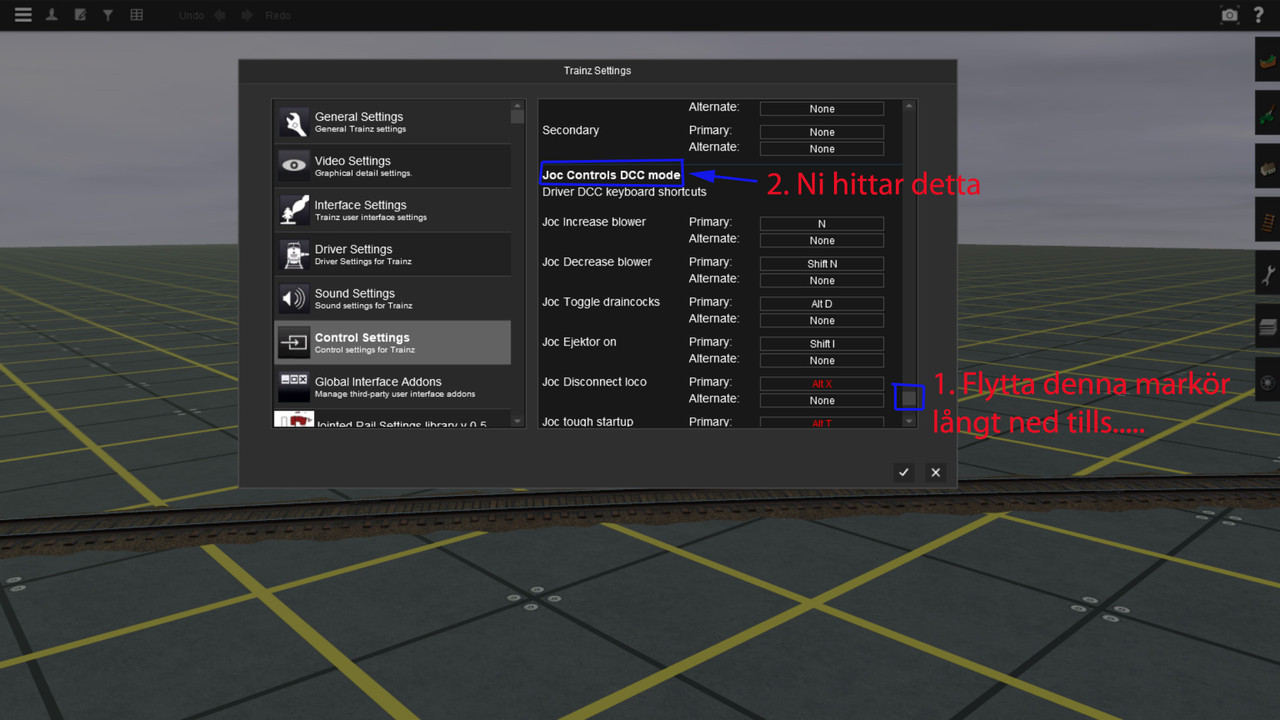 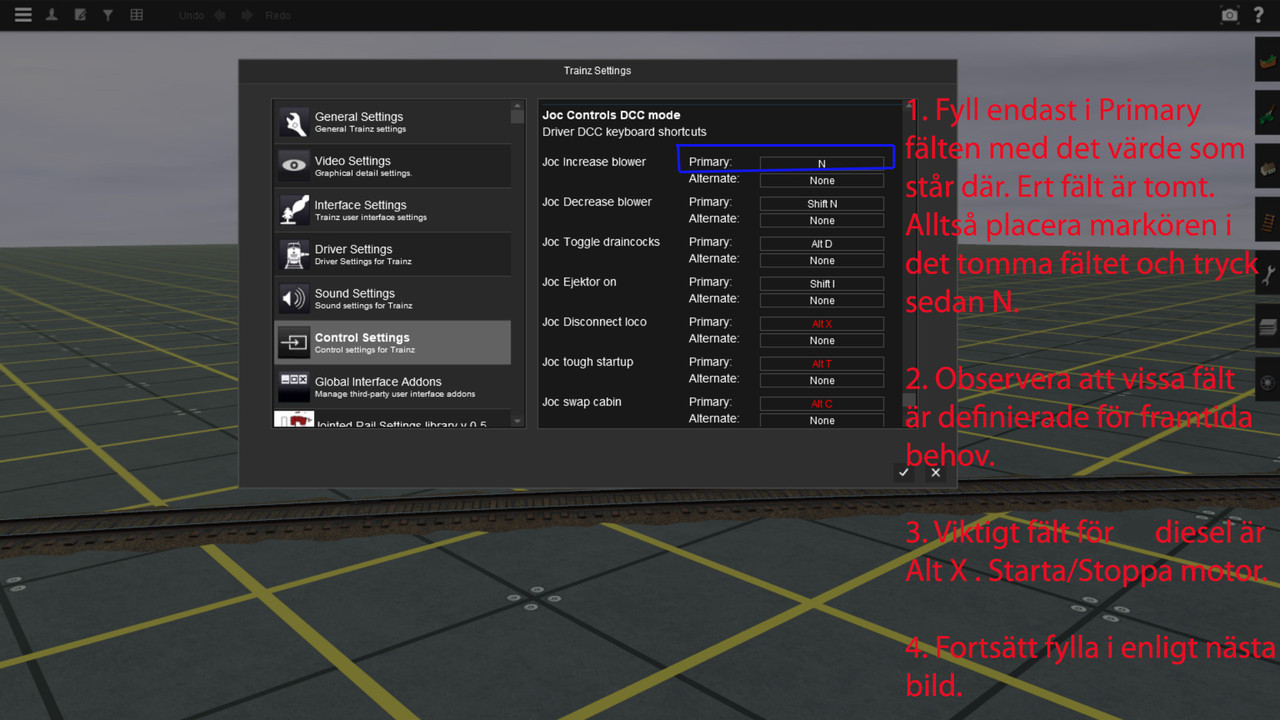  Testa ut ovan på ett Start/Stopp fordon. Giltigt kommando är alt-x. V3 accepterar även alt-v. (öppna/stäng motorhuvar) Frågor? |

|

|
| Ämnesverktyg | |
| Visningsalternativ | |
|
|


 Trådad visning